
Why Business Process Automation Won’t Fix a Broken Process
A growing B2B services firm recently spent $40,000 and three months building custom software to automate their client onboarding workflow. Before the project, onboarding an account took five business days. A sales representative filled out a spreadsheet, manually emailed a PDF to finance, waited for a manager to sign off on credit terms, re-entered customer details into an internal CRM, and dispatched five redundant template emails to operations.
After deploying the new software, the entire sequence occurred in under four seconds. The result? The system immediately generated flawed contracts for clients with custom pricing, routed incorrect technical requirements to operations, and sent redundant onboarding emails to confused decision-makers. The company did not fix their customer onboarding problem—they simply accelerated it. Instead of discovering mistakes over five days, they broadcasted them instantly.
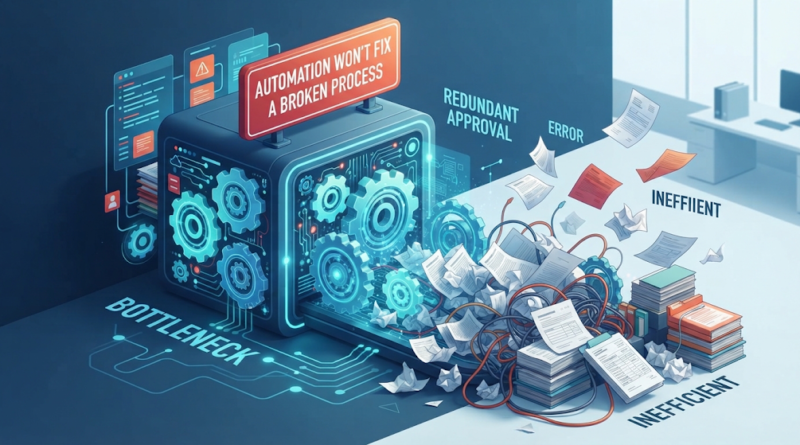
This scenario plays out across organizations every week. Executives look at a slow, error-prone workflow and decide that software is the fix. But business process automation is an amplifier, not a repair kit. If you automate a streamlined, logical process, you gain speed, accuracy, and operational scale. If you automate business processes that are bloated, ambiguous, or fundamentally flawed, you simply execute chaos at computer speed.
Why Automating a Bad Process Makes Problems Worse
To understand why software fails to cure bad operations, you need to recognize what code actually does. Software enforces rules with rigid consistency. It does not possess judgment, intuition, or the ability to question whether an operational rule still makes sense.
When leadership asks why should you improve a process before automating it, the answer comes down to operational leverage. A manual process contains human shock absorbers. When employees encounter a confusing approval chain or a redundant form field, they often slow down, double-check with a colleague, or apply common sense to correct a minor defect before it reaches a customer.
When you convert that same workflow into software, those human checkpoints disappear. Inefficiencies become codified. Consider these common operational flaws and what happens when they are automated:
-
Redundant approvals: If three separate department heads must sign off on a routine $500 purchase order manually, automating the notification sequence does not eliminate organizational distrust—it just fills three executives’ inboxes with automated alerts faster.
-
Duplicate data entry: Automating data transfer between four disconnected spreadsheets without questioning why four spreadsheets exist in the first place locks you into a fragile, over-engineered data pipeline.
-
Outdated business rules: If your routing logic was designed six years ago for a product line you no longer emphasize, process automation will push orders into the wrong queues with zero friction.
-
Unclear ownership: When no single individual owns a handoff, automated task assignments end up floating in system queues with nobody held accountable for completion.
Executing process optimization before writing code ensures that your software reflects your best operational standards rather than institutional bad habits.
The Hidden Costs of Automating Process Inefficiencies
When an organization automates a broken workflow, the financial damage rarely stops at the cost of software development. Flawed workflow automation creates a ripple effect across the enterprise, generating subtle expenses that compound over time.
Faster Error Propagation
In a manual system, an incorrect data entry point might affect one or two downstream transactions before someone notices the mismatch. In an automated pipeline, an unvalidated input can propagate across your CRM, ERP, and billing systems in milliseconds, corrupting thousands of customer records before anyone raises an alarm.
Bloated Software and Escalating Maintenance Costs
Building software around a convoluted process requires extra code to handle edge cases, illogical exceptions, and redundant steps. Developers must build custom logic to bridge structural gaps that should have been eliminated on paper. Every added layer of custom code makes the system harder to maintain, more expensive to update, and prone to breaking during platform upgrades.
Shifted Bottlenecks
Automating one segment of a broken workflow does not eliminate bottlenecks; it merely pushes them downstream. If an automated tool generates sales quotes in seconds but the legal team still reviews custom terms manually, you have not shortened your deal cycle. You have only created a massive queue at the legal team’s desk.
Frustrated Teams and Damaged Customer Experiences
Employees expect technology to make their jobs easier. When forced to navigate rigid software that enforces nonsensical rules, staff members often build “shadow processes”—offline spreadsheets and private messaging workarounds—to bypass the automated tool entirely. Customers feel the friction too, receiving robotic, out-of-sequence communications or dealing with support agents who cannot override systemic software errors.
Opportunity Cost
Every dollar and engineering hour spent automating a bad process is a resource that could have been spent on strategic initiatives, new features, or customer-facing improvements. A flawed automation strategy burns budget while delaying genuine operational maturity.
How to Tell If a Process Is Ready for Automation
Before investing in custom software or workflow integration tools, leaders must evaluate whether a candidate process is mature enough to be automated. So, how do you know if a business process is ready for automation?
Use this operational checklist to evaluate any candidate workflow before committing engineering resources:
-
Is the process explicitly documented? Can a team member trace the exact step-by-step path from trigger to completion without asking for manager clarification?
-
Are inputs and outputs predictable and standardized? Does the process receive structured, consistent inputs and deliver defined, measurable outcomes?
-
Are business rules rule-based and objective? Can decisions be expressed through logical parameters without requiring subjective human judgment at every turn?
-
Have non-value-add steps been removed? Has the workflow been audited recently to strip out legacy sign-offs, duplicate checks, and obsolete tasks?
-
Are exceptions and edge cases quantified? Do you know what percentage of transactions deviate from the standard path, and are those exceptions well understood?
-
Is the transaction volume high enough? Is the task repeated frequently enough that time saved translates directly into financial return or operational capacity?
-
Can success be measured? Do you have baseline metrics for processing time, error rates, and operational cost so you can measure post-implementation impact?
If a process fails two or more of these criteria, focus on business process improvement first. Standardize and simplify the manual workflow until it meets these benchmarks.
A Simple Framework for Fixing Processes Before Automating
Redesigning an operational process does not require months of heavy consulting. A structured, pragmatic framework can help your team optimize workflows before introducing technology.
-
Map the Current Workflow (As-Is State): Document every step of the existing process exactly as it happens today—not as policy says it should happen. Interview the front-line staff who execute the work daily to uncover informal workarounds and hidden handoffs.
-
Identify Bottlenecks, Duplication, and Waste: Analyze each step and ask: Does this step add value to the customer? Is it legally or operationally required? What happens if we eliminate it entirely? Eliminate redundant approvals, duplicate data entries, and unnecessary waiting periods.
-
Standardize Rules and Simplify Handoffs: Consolidate decision-making rules. Replace vague guidelines with explicit thresholds. For instance, instead of requiring manager sign-off on every discount, authorize sales reps to apply discounts up to 10% automatically.
-
Define Clear Outputs and Exception Paths: Establish what a completed transaction looks like and build clear pathways for handling exceptions. Ensure that 80% to 90% of transactions follow a clean, standardized path, while reserving human intervention for true outliers.
-
Isolate High-Value Candidates for Automation: Identify the specific repetitive, deterministic steps within the newly streamlined workflow where software will yield the highest impact. Avoid trying to automate the entire end-to-end process at once if certain steps require human intuition.
-
Build, Test, and Validate: Develop custom software, integrations, or automated scripts tailored specifically to the refined process. Run pilot tests alongside manual workflows to ensure data accuracy and user adoption.
-
Monitor Performance and Iterate Continuously: Track key performance indicators post-launch. Use operational feedback to tweak business rules and software logic over time.
Practical Transformation Example: Sales Order Processing
Consider how a mid-sized distributor applied this framework to their sales order workflow:
-
The Broken Manual Process: A sales representative received an order via email, manually checked inventory across two systems, requested credit approval from finance for orders over $1,000, entered order details into the ERP, and emailed fulfillment. Average processing time: 26 hours. Error rate: 8.5%.
-
The Optimization Phase (Before Software): The company simplified its rules. They updated credit policy to automatically approve existing clients in good standing for orders under $10,000. They standardized the incoming order template to capture all required fields upfront.
-
The Automated Result: Custom software integrated the client portal directly with inventory and the ERP. Orders under $10,000 for verified accounts processed automatically. Orders exceeding the threshold or flagged for low inventory were routed directly to specific human decision-makers with pre-populated data.
-
The Outcome: Average processing time dropped from 26 hours to 4 minutes. Error rates dropped to under 0.2%, and the finance team reclaimed 15 hours per week.
When Automation Actually Delivers Business ROI
When applied to optimized processes, business process automation drives measurable growth, operational resilience, and competitive advantage.
To verify whether a proposed project will deliver true automation ROI, leaders should calculate both direct cost savings and operational gains against development expenditure. Key metrics to evaluate include:
-
Processing Time: Reductions in cycle time from initial trigger to final delivery.
-
Error Rates and Rework Costs: Financial savings from avoiding data corrections, order refunds, or compliance penalties.
-
Employee Productivity: Hours reclaimed by staff members who can be redirected toward high-value, revenue-generating work.
-
Cost Per Transaction: Direct labor and operational expense incurred per processed item.
-
Customer Response Time: Acceleration of lead response or support resolution times, directly impacting conversion rates and retention.
Calculating Your Automation ROI
Before committing software engineering resources, run a straightforward baseline calculation:
Consider a hypothetical scenario for a financial services firm processing account transfers:
-
Current State: 1,500 transfers per month. Each transfer takes 20 minutes of staff time at $36 per hour ($12 per transfer). Monthly labor cost is $18,000 ($216,000 annually). Manual error rework costs $1,500 monthly ($18,000 annually). Total annual operational cost: $234,000.
-
Optimized Automated System: Process optimization reduces required manual inputs, and custom software automates verification. Processing time drops to 2 minutes of human review per transfer ($1.20 labor cost). Monthly labor cost drops to $1,800 ($21,600 annually). Errors fall by 90%, reducing rework to $1,800 annually. Total annual operational cost: $23,400.
-
Financial Return: Gross annual savings equal $210,600.
-
Investment: Initial custom development cost is $60,000. Annual cloud hosting and maintenance is $6,000.
-
Year 1 Net Savings: $210,600 – $66,000 = $144,600.
-
Payback Period: Less than 3.5 months.
In this scenario, software created substantial business value because the workflow was simplified, standardized, and vetted before development began.
Build a Pragmatic Automation Strategy
Software is an extraordinary engine for growth, but it cannot fix broken operational logic. Attempting to solve structural workflow defects with code leads to bloated budgets, complex maintenance, and frustrated teams.
Before you invest in your next technology initiative, audit your workflows. Eliminate unnecessary steps, clarify accountabilities, and standardize rules. Once your processes are clean, reliable, and predictable, custom software, workflow integrations, and AI automation can deliver their full potential.
If you are evaluating your operational workflows and deciding where custom software or automation can deliver real value, our team can help. We partner with business leaders to analyze complex operations, refine underlying workflows, and build tailored Web, Mobile, SaaS, and AI solutions that drive measurable business impact. Contact us today to schedule a technical process review.
