
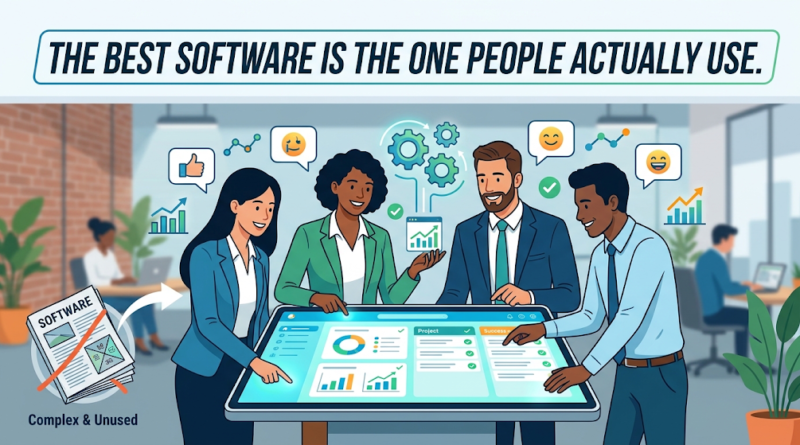
Software Usability: The Best Software Is the One People Actually Use
Prioritizing software usability over technical complexity is essential if you want your employees or customers to engage with a product daily. A mid-market logistics firm recently learned this lesson the hard way after investing over $200,000 and eight months of engineering time building a custom operations dashboard. The system was technically impressive: it featured real-time predictive analytics, dozens of customizable widgets, and over forty export options.
Six months after launch, system logs revealed a stark reality: 80% of the team had stopped logging in. Instead, employees were quietly managing daily dispatches using a shared Google Sheet. Why? Because updating the custom system required navigating four separate sub-menus and filling out eleven mandatory fields just to log a single shipment. The spreadsheet, while crude, took five seconds.
This scenario plays out in organizations every day. Millions of dollars are spent building and buying software packed with advanced capabilities, only for those systems to gather digital dust. The fundamental truth of software development for businesses is simple: technical sophistication does not equal business value. Software creates value only when people actually adopt and use it.
Why Feature-Rich Software Often Gets Ignored
Product teams and decision-makers often fall into the trap of measuring software quality by the density of its feature list. The assumption is logical on the surface: more features mean more utility, which should translate to greater value. In practice, the opposite frequently occurs.
The Cognitive Cost of Feature Overload
When software is crammed with low-value functionality, the user interface becomes cluttered, navigation grows confusing, and essential tasks take longer to complete. Every added button, drop-down, and configuration toggle increases cognitive load. When users feel overwhelmed, productivity drops, frustration rises, and adoption stalls.
This directly answers a question many executives ask during product reviews: Why is software usability more important than advanced features? Advanced features only provide value if users can find and operate them without friction. If poor software usability prevents employees from completing their core daily tasks efficiently, those advanced features become liabilities rather than assets.
Solving the Wrong Problem Efficiently
Feature-rich applications often fail because they prioritize edge cases over primary workflows. Consider two competing internal sales tools:
-
System A: Offers automated lead scoring, custom pipeline views, multi-currency forecasting, and integrated social media tracking. However, logging a phone call requires clicking through three nested modal windows.
-
System B: Focuses entirely on core execution. Sales representatives can log a call, update a deal stage, and schedule a follow-up—all from a single, fast-loading screen.
Despite System A’s technical superiority, System B will consistently see higher user engagement and produce cleaner data. When software fails to make the user’s primary job easier, users quickly find workarounds—or abandon the platform entirely.
The Adoption Gap: When Great Technology Goes Unused
There is often a significant disconnect between what technology can do on paper and what it achieves in practice. Closing this “adoption gap” requires understanding why teams resist software that was designed to help them.
[ Technical Capability ]  --->  [ Friction Barriers ]  --->  [ Actual Business Value ]
 (Architecture, Features)       (UX, Speed, Onboarding)       (Real User Adoption)
Key Drivers of Software Abandonment
Even powerful, well-engineered systems are routinely sidelined by subtle operational barriers:
-
Workflow Friction: Software that forces users to change proven, comfortable habits without offering an immediate benefit will face steep resistance.
-
Performance Lags: Slow page load times and sluggish inputs destroy user momentum. A two-second delay on an internal tool repeated fifty times a day generates massive user dissatisfaction.
-
Heavy Training Requirements: If an employee needs a 50-page manual or a multi-week training course to handle standard daily operations, the software interface has failed.
-
Siloed Systems: Platforms that do not integrate cleanly into an existing technology stack create duplicate data entry, frustrating users and introducing human error.
-
Poor Mobile or Cross-Platform Support: Modern work happens across desktops, laptops, tablets, and phones. Software that breaks on mobile devices limits when and where users can engage with it.
The Adoption Friction Audit
Before committing resources to new software or diagnosing an underperforming application, run it through this quick evaluation checklist:
-
Speed-to-Task: Can a trained user complete their primary daily task in three clicks or fewer?
-
Immediate Time-to-Value: Does a first-time user gain a clear outcome within five minutes of onboarding?
-
Contextual Clarity: Does every form field and button clearly communicate its purpose without external documentation?
-
Interoperability: Does data flow automatically to and from connected business systems without manual exports?
What Makes Software People Actually Want to Use?
High-performing software products share common characteristics that drive intuitive software product adoption. What makes software successful and widely adopted by users isn’t luck or aggressive training mandates; it is a relentless focus on reducing friction and delivering immediate utility.
Core Characteristics of Adoptable Software
-
Singular Focus on the Core Problem: Successful software identifies the primary pain point of its audience and resolves it decisively before expanding functionality.
-
Invisible Complexity: Sophisticated logic, data transformations, and background processing should happen behind the scenes. The user-facing interface should remain clean, responsive, and uncomplicated.
-
Predictable Onboarding: Instead of front-loading hours of video tutorials, user-friendly software guides users through real tasks using contextual cues, smart defaults, and inline guidance.
-
Forgiving Error Handling: Clear, human-readable error messages that explain how to fix a problem empower users, whereas vague system codes create anxiety and support tickets.
-
Continuous Feedback Loops: Products built for high adoption evolve constantly based on actual usage metrics and direct user input.
  +-----------------------------------------------------------------+
  |                    INVISIBLE COMPLEXITY                         |
  |   Data Transformations | Machine Learning | Background Sync     |
  +-----------------------------------------------------------------+
                                  |
                                  v
  +-----------------------------------------------------------------+
  |                     VISIBLE SIMPLICITY                          |
  |     One-Click Actions | Clean Dashboards | Smart Defaults       |
  +-----------------------------------------------------------------+
Creating simple software does not mean building basic software. In fact, crafting an interface that feels effortless often requires far greater engineering discipline than assembling a bloated, complex dashboard.
Simplicity vs. Complexity: What Should You Build?
Every software product must balance capability with ease of use. Advanced functionality is valuable when it solves complex operational demands, but it becomes a liability when introduced prematurely or without clear purpose.
Striking the Balance
When planning custom software development, leaders must distinguish between necessary complexity and unnecessary clutter. Advanced features belong in systems where specialized roles perform intricate tasks—such as financial trading platforms, medical diagnostic tools, or advanced CAD software. However, for core operational tools, customer management platforms, and internal workflows, simplicity almost always wins.
Embracing a Minimum Viable Product (MVP) strategy helps organizations test core assumptions with minimal operational risk. By deploying a focused functional release to early users, teams can observe real behavior and gather empirical evidence before building secondary capabilities.
The Feature Prioritization Framework
Before approving any new feature or module, evaluate it against six practical questions:
-
Problem Fit: What specific, observable user problem does this feature solve?
-
Usage Frequency: Will users engage with this capability daily, weekly, or once a year?
-
Friction Impact: Does adding this field or step streamline the core workflow, or does it add extra steps?
-
Training Overhead: Can users understand this functionality intuitively without formal instruction?
-
Business Value: Does this feature directly support a measurable business goal, such as faster processing time or higher retention?
-
Empirical Demand: Do support logs, user feedback, or usage analytics demonstrate that users are actively asking for this capability?
This framework should be adapted to your company’s operational goals and product maturity rather than applied as a rigid formula.
How to Build Software Around Real User Behavior
To ensure high software product adoption, user experience in software development must be prioritized from day one. Building software users actually use requires aligning technical architecture with actual human behavior rather than assumptions made in executive boardrooms.
+----------------+     +------------------+     +-------------------+
| User Research  | --> | Rapid Prototype  | --> | User/UX Testing   |
+----------------+     +------------------+     +-------------------+
        ^                                                 |
        |---------------- Iterative Feedback -------------|
Integrating Adoption into the Development Process
An effective software development lifecycle incorporates user input at every critical stage:
-
Behavioral User Research: Conduct interviews and shadow real employees in their work environments to observe existing workarounds and operational bottlenecks.
-
Interactive Prototyping: Test wireframes and clickable prototypes with target users before writing production code.
-
Phased MVP Releases: Roll out early versions to a small group of active users to capture baseline usage metrics.
-
Data-Driven Analytics Monitoring: Track key performance indicators post-launch, including:
-
Activation Rate: The percentage of new users who complete a key milestone task.
-
Feature Adoption: How many users regularly engage with newly released features.
-
Task Completion Time: How long it takes users to accomplish standard operational goals.
-
Retention Rate: How frequently users return to the application over 30, 60, and 90 days.
-
-
Active Pruning: Have the courage to simplify interfaces or remove features that data shows cause confusion or introduce friction.
Why Collaboration Matters
Building successful software requires close collaboration among business leaders, end users, and development teams. Developers bring technical execution, stakeholders provide strategic direction, and end users offer real-world context. Missing any piece of this triad increases the risk of building technology that looks great on paper but fails in practice.
If your organization is planning a new digital product, struggling with an underperforming internal application, or seeking to modernize legacy workflows, focusing on adoption is the single highest-return decision you can make. Partnering with an experienced custom software development team ensures your software isn’t just technically sound—it’s designed, tested, and optimized so your people will actually use it.
