
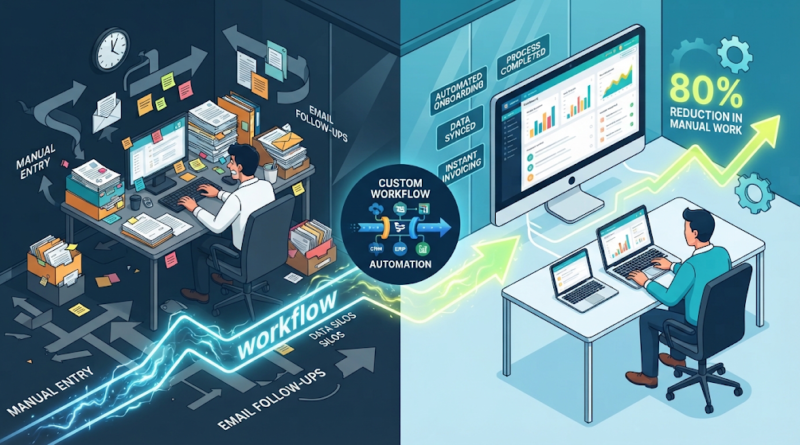
How We Cut Manual Work by 80% With Workflow Automation
The Manual Process That Was Quietly Draining Time
Implementing strategic workflow automation can completely eliminate the tedious operational bottlenecks that drain a company’s time and resources. For example, every Friday afternoon, a mid-sized B2B service firm’s operations team would huddle over a massive spreadsheet, painstakingly cross-referencing customer data from a CRM, copying transaction details into an accounting platform, and manually sending out welcome emails and setup checklists.
It was tedious, entirely manual, and completely unsustainable.
For a growing organization handling dozens of new client onboardings every week, this routine was consuming upwards of 25 hours of administrative labor per employee every single month. Staff were spending more time moving data from one application to another than they were engaging with clients, solving complex problems, or driving revenue.
When leadership approached us, they did not ask for a massive digital overhaul or an expensive enterprise resource planning (ERP) migration. They simply wanted to know if there was a way to stop drowning in busywork. By designing and implementing a single piece of custom workflow automation, we helped them cut their manual processing time by 80% in less than three weeks.
Here is a look at where those hours were disappearing, how we diagnosed the root cause, and how a targeted approach to business process automation transformed their daily operations.
Where the Biggest Bottlenecks Were Hiding
Before writing a single line of code or configuring any software, our engineering team conducted a workflow audit. We sat down with the operations staff, shadowed their daily routines, and mapped out every step of the client onboarding lifecycle.
What we found is a common trap for growing businesses: siloed tools and manual bridges.
When software systems do not talk to each other, humans are forced to become the human middleware. In this client’s case, the bottlenecks were clustered in three distinct areas:
-
Repetitive Data Entry: Client details submitted via a web form were manually re-typed into three separate internal databases to create profiles, track projects, and issue invoices.
-
Constant Context Switching: Team members had to keep up to seven browser tabs open simultaneously, jumping back and forth to verify if an invoice had cleared before triggering the next project phase.
-
Manual Follow-Ups and Handoffs: Internal notifications relied on team members remembering to ping colleagues on chat apps or send status update emails, leading to missed steps and delayed timelines.
The Diagnostic Approach: How to Spot Your Own Bottlenecks
If your team is dealing with similar friction, you do not necessarily need an entirely new software stack. You need a way to evaluate where manual effort is truly adding value versus where it is merely wasting time.
Consider asking your team these diagnostic questions:
-
Where do we copy and paste data? If information moves from an email, PDF, or form into a database by hand, it is a prime candidate for automation.
-
How many tools do we touch to complete a single standard task? High tool-switching frequency points directly to integration gaps.
-
Where do delays routinely happen? If work stalls waiting for someone to manually approve, forward, or log a file, the workflow has a structural bottleneck.
Recognizing these friction points is the first step toward building an effective strategy to automate repetitive tasks without disrupting daily business continuity.
The One Workflow We Built to Replace the Busywork
To solve the client’s operational drag, we did not force them to abandon their existing CRM or accounting platform. Instead, we built a streamlined, event-driven integration layer using custom workflow automation principles.
Here is how the new system operates behind the scenes:
1. The Trigger
The entire process now initiates automatically the moment a client signs a contract and submits their initial onboarding questionnaire through their web portal. This event acts as the single source of truth, removing the need for anyone to manually create a new file or start a spreadsheet row.
2. Data Validation and Enrichment
Before passing information downstream, the workflow validates the incoming data fields (checking for formatting errors, missing tax IDs, or incomplete contact details). If an error is detected, it flags the record and routes it to a designated queue for human review.
3. Automated Actions Across Platforms
Once validated, the workflow executes a sequence of actions in parallel across the client’s software stack:
-
Generates a secure workspace and client folder in cloud storage.
-
Creates a corresponding client profile and project pipeline in the CRM.
-
Generates and dispatches the initial invoice through the accounting software.
-
Sends a personalized welcome packet and scheduling link to the client.
4. Human-in-the-Loop Oversight
While the data movement and administrative provisioning are fully handled by business process automation software, the workflow retains strategic checkpoints for human intervention. For instance, final approval on custom contract terms or specialized service add-ons still requires a manager’s review. The system simply packages all relevant background information into a single notification, allowing the manager to approve or reject with a single click.
By bridging these systems intelligently, the workflow transformed a sprawling 45-step manual checklist into a zero-touch pipeline for standard cases, while keeping human expertise focused entirely on exceptions and high-value interactions.
What Changed After We Automated the Process
The impact of introducing this single custom workflow was immediate and measurable. By finding the right places to automate manual tasks, the company unlocked significant operational capacity.
The transformation can be broken down across several key operational metrics:
-
80% Reduction in Manual Processing Time: Onboarding tasks that previously took up to 45 minutes per client were reduced to under 5 minutes of automated processing and brief oversight.
-
Drastic Error Reduction: Because data was no longer being re-keyed by hand, transcription errors, typos, and mismatched invoice records dropped to near zero.
-
Predictable Turnaround Times: New client onboarding went from a variable 24-to-48-hour window (depending on staff availability) to an instantaneous, real-time process.
-
Shift in Employee Focus: Operations personnel transitioned from data entry clerks to project strategists, dedicating their newly reclaimed hours to client retention and service optimization.
Before vs. After Workflow Comparison
This shift demonstrates why workflow automation for businesses is rarely just about saving seconds on a keystroke; it is about building a reliable operational foundation that supports sustainable growth.
The Business Impact Behind an 80% Reduction
When business leaders look at workflow automation, they often focus exclusively on the math: hours saved multiplied by hourly wages. While the direct cost savings are real, the secondary and tertiary impacts on your organization are often far more valuable.
Scaling Without Linear Headcount Growth
In a traditional operational model, doubling your client base requires doubling your administrative workforce. You need more people to copy data, send emails, and check spreadsheets. Custom workflow automation breaks this linear relationship. By handling routine data flows and administrative overhead through code, your existing team can manage double or triple the volume without burning out or letting quality slip.
Reclaiming Human Capital
A common misconception is that automation aims to remove humans entirely from business processes. In reality, effective technology does the exact opposite: it frees humans from machine-like work so they can do human work.
When your team is no longer bogged down by repetitive administrative burdens, they can redirect their energy toward:
-
Complex problem-solving and troubleshooting
-
Deep client relationship management
-
Strategic planning and product development
-
Creative and analytical initiatives
How to Identify Your Next Automation Candidate
If you want to replicate these results within your own organization, start by looking for processes that share these three characteristics:
-
High Repetition: The task happens multiple times a day or week following a predictable, repeatable pattern.
-
Digital Native: The information involved already lives in digital formats (spreadsheets, emails, forms, web apps).
-
Low Judgment Required: The steps follow rigid “if-this-then-that” logic rather than requiring nuanced creative or emotional decisions.
By targeting processes that fit this profile, you can systematically remove friction from your operations and build a more agile, resilient business.
Ready to Eliminate Bottlenecks in Your Operations?
Manual busywork is a silent tax on your team’s productivity and your company’s growth. Whether you are struggling with fragmented software tools, repetitive data entry, or sluggish internal processes, the right technical approach can change how your business operates.
If your team is spending valuable hours on manual workflows that should be running on autopilot, let’s talk. Contact our team today to discuss your operational challenges and explore how custom software, workflow automation, or AI-driven solutions can help your business run smarter, faster, and more efficiently.
