
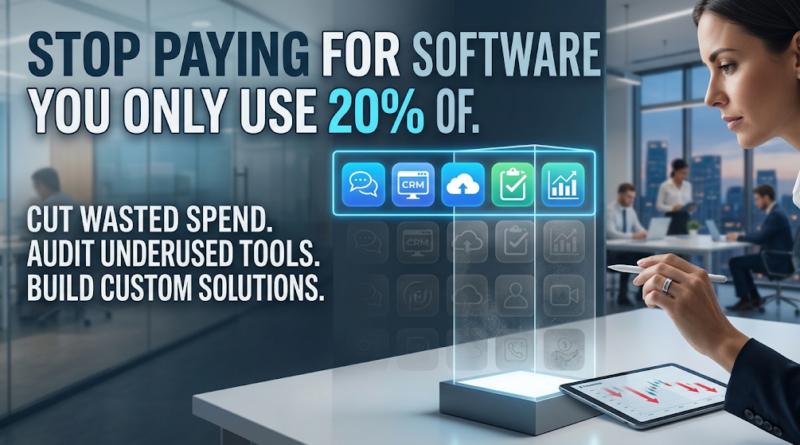
Stop Paying for Software You Only Use 20% Of
Take a close look at your company’s credit card statement this month. Buried in the recurring charges is a silent drain on your operational budget: thousands of dollars flowing out to software vendors for platforms your team barely touches.
You pay for an enterprise project management suite, but your developers only use the basic Kanban board. You fund a marketing automation platform with complex predictive analytics, yet your team only uses it to send a weekly newsletter. You are paying a premium for 100% of the functionality, but extracting value from just 20%.
For growing international companies, a sprawling technology stack is a natural byproduct of rapid expansion. When a new problem arises, the easiest reflex is to buy a new SaaS product to solve it. Over time, this creates a fragmented, bloated ecosystem that hinders productivity rather than multiplying it.
Mastering software cost optimization isn’t about stripping your team of the tools they need to do their jobs. It is about aligning your technology spend with your actual operational requirements—whether that means pruning your current stack, renegotiating terms, or building a tailored solution that fits your exact workflow.
The Hidden Cost of Software Your Team Barely Uses
Businesses accumulate unused software subscriptions because buying a new tool always feels like the fastest way to solve an immediate operational headache. A department head swipes a corporate card for a $50-per-user monthly subscription, and it vanishes into the background noise of operating expenses.
But the financial toll of this “SaaS sprawl” goes far beyond the monthly licensing fee. The true total cost of ownership (TCO) encompasses several hidden drains on your business:
-
Redundant Functionality: You are likely paying multiple vendors for the exact same features. Your team might be using Slack for messaging, Asana for task management, and Google Workspace for documents. Yet, all three of those platforms have their own built-in chat, task assignment, and file-sharing capabilities.
-
The Enterprise Bundle Trap: Vendors frequently force upgrades to premium tiers to unlock a single necessary feature, like single sign-on (SSO) or advanced permissions. Suddenly, you are paying triple the base price for a bundle of advanced tools your team will never deploy.
-
Shadow IT and Security Risks: When software adoption goes unmonitored, employees create isolated data silos. Disconnected apps not only waste money but create critical security vulnerabilities and compliance risks.
-
Productivity Drag: More software does not equal more output. Forcing employees to context-switch across five different platforms to complete a single workflow destroys focus and introduces data entry errors.
The cost of paying for functionality your team rarely needs actively steals capital that could be reinvested into product development, market expansion, or core engineering resources.
How to Find the 80% of Your Software You Don’t Need
To effectively reduce software costs, you cannot rely on gut feelings or asking department heads if they “still need” a tool. You need a data-driven software audit framework to identify waste.
Here is a practical, four-step approach to evaluating your current technology stack:
1. Execute a Comprehensive Financial Audit
Start with your accounts payable department. Pull a report of all recurring software expenses over the past 12 months. Cross-reference this with expense reports to catch tools purchased directly by employees on corporate cards. Log every tool, its primary owner, the renewal date, and the annual cost.
2. Measure Login Frequency vs. Active Usage
A user logging in does not mean a tool is driving business value. Work with your IT department to review user analytics. Look for the difference between “provisioned seats” (licenses you pay for) and “active users” (people who have performed a meaningful action in the tool within the last 30 days).
3. Map Feature Utilization
For high-cost platforms like your CRM, ERP, or marketing automation software, evaluate which specific modules are actually in use. If you are paying for the “Enterprise AI Predictive Insights” tier but your sales team only uses the basic contact directory and email logging, you have identified a prime target for optimization.
4. Run the Optimization Math (An Illustrative Example)
Consider an illustrative example of a mid-sized logistics company with 150 employees. They use an enterprise-tier CRM costing $150 per user, per month.
After an audit, they discover:
-
Only 30 sales executives use the advanced reporting and pipeline automation features justifying the $150 tier.
-
100 employees (support, operations, management) only need view-only access or basic entry features, available on a $50 per month tier.
-
20 licenses belong to former employees or inactive contractors.
By offboarding the inactive users and downgrading the 100 non-sales employees to the appropriate tier, the math looks like this:
-
Original Spend: 150 users @ $150/mo = $22,500/month ($270,000/year)
-
Optimized Spend: 30 users @ $150/mo ($4,500) + 100 users @ $50/mo ($5,000) = $9,500/month ($114,000/year)
-
Total Savings: $13,000/month or $156,000 annually.
This level of software license management directly impacts bottom-line profitability without removing a single necessary capability from the team.
Five Ways to Cut Software Costs Without Slowing Your Team Down
Once you have audited your stack, it is time to take action. If you are wondering how to reduce SaaS spending without causing operational bottlenecks, implement these five strategies.
1. Consolidate Overlapping Tools
Identify categories where multiple apps serve the same purpose. Do you have teams using Zoom, Microsoft Teams, and Google Meet simultaneously? Choose one corporate standard, migrate the data, and terminate the redundant contracts. Consolidation improves cross-departmental collaboration by forcing everyone onto a unified standard.
2. Right-Size Your Subscription Tiers
Software companies design their pricing tiers to encourage over-purchasing. Review the feature matrices of your most expensive tools. Downgrade users who only need basic access, and reserve premium licenses strictly for power users. Many SaaS platforms allow mixed-tier licensing if you negotiate with your account manager.
3. Implement Automated Offboarding
Unused software subscriptions often linger because of poor offboarding protocols. When an employee leaves, their email might be deactivated, but their paid seats in specialized design, engineering, or project management tools remain active. Automate your offboarding process so that revoking identity provider (IdP) access automatically reclaims or cancels the associated SaaS licenses.
4. Renegotiate Vendor Contracts
If you have proven that you only use 20% of a platform’s capabilities, use that data as leverage during contract renewals. Vendors would rather offer a custom discount or allow a tier downgrade than lose your account entirely. Additionally, shifting from monthly to annual billing can routinely secure a 15% to 20% discount on tools you know you will retain long-term.
5. Automate Workflows Instead of Buying Apps
Before buying a new software platform to handle a specific administrative task, evaluate your existing integrations. You can often build a simple, automated workflow using tools you already pay for (like Zapier, Make, or custom API scripts) to connect two existing platforms. Bridging the gap with an API integration is drastically cheaper than procuring a third standalone software product.
When Off-the-Shelf Tools Stop Making Business Sense
Eventually, scaling businesses hit a ceiling with commercially available software. Off-the-shelf tools are built for the masses. They operate on a generalized set of assumptions about how a business should run, forcing you to bend your internal processes to fit the software’s limitations.
When comparing custom software vs off-the-shelf software, the decision hinges on operational fit and long-term financial scale.
An off-the-shelf platform starts making less business sense when:
-
Licensing costs outpace revenue growth: Paying $100 per user makes sense at 10 employees. At 500 employees, you are spending $600,000 a year on a tool you do not own and cannot control.
-
You require complex workarounds: If your team spends hours exporting CSV files from one system just to format and upload them into another, the software is failing you.
-
You are compromising your core competitive advantage: If your unique value proposition relies on a proprietary methodology, you cannot effectively execute it on the exact same generic software your competitors use.
Off-the-shelf software is ideal for commoditized business functions—you should not build your own email client, basic accounting ledger, or payroll processor. However, for the systems that actively drive your revenue, manage your proprietary data, or dictate your customer experience, relying on rigid third-party tools quickly becomes an expensive liability.
Build What Your Business Actually Needs
True software cost optimization eventually leads business leaders to a critical realization: instead of renting fragmented, bloated tools, it is often more financially sound to build exactly what you need.
Knowing when to build custom software requires looking at your core workflows. Consider an international supply chain firm that currently pays for separate software to manage dispatching, driver communication, warehouse inventory, and client invoicing. Not only are they paying four different vendor subscriptions, but they are also paying administrative staff to manually reconcile data across the platforms.
By investing in a tailored web application, they can replace all four disjointed tools with a single, unified dashboard. A custom application contains precisely 100% of the features the company needs—no more, no less. There are no per-user license fees scaling up as the company hires, no sudden vendor price hikes, and no waiting on a third-party roadmap for critical feature requests.
Building custom software does not have to be a massive, multi-year gamble. Smart organizations control costs by adopting a phased development approach. They start by building a Minimum Viable Product (MVP) that targets their most expensive operational bottleneck. They utilize an integration-first mindset, allowing the new custom software to communicate with the few off-the-shelf tools that are still performing well. Over time, they iteratively replace legacy SaaS subscriptions with their own proprietary technology, shifting software from a recurring liability to a valuable corporate asset.
Stop Renting Bloatware. Start Building Value.
If you are tired of paying enterprise subscription fees for software your team only partially uses, it is time to rethink your technology strategy.
Our software development team specializes in helping founders and international businesses audit their current technology, optimize their workflows, and engineer custom web, mobile, and SaaS applications that perfectly fit their operations.
Do not let SaaS sprawl drain your operational budget. Contact us today for a comprehensive software audit and custom development consultation, and discover how building the right software can permanently reduce your technology costs.
