
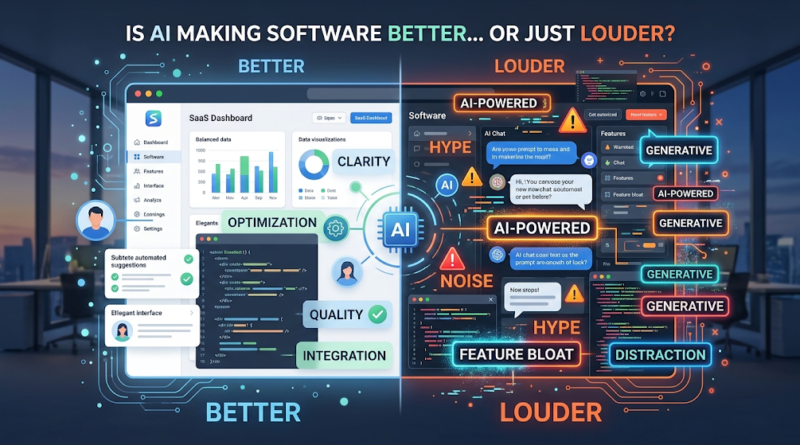
AI in Software Development: Better Products or Just Louder?
Open up almost any B2B SaaS application, mobile app, or enterprise platform right now, and you will likely be greeted by a sparkling wand icon. The pressure on founders and product leaders to integrate artificial intelligence is immense, driven by investor expectations, competitor moves, and a market heavily focused on generative capabilities. But as the initial wave of excitement settles, a critical question remains: is the rush to deploy AI actually resulting in better software, or is it just creating more noise?
Integrating AI in software development requires a shift in how we think about product architecture, user experience, and business logic. When applied thoughtfully, artificial intelligence can eliminate tedious workflows, uncover hidden data insights, and dramatically accelerate engineering cycles. When applied poorly, it introduces latency, confuses users, and inflates cloud bills.
Navigating this divide separates robust, enduring products from transient novelties. To build tools that users actually want, technology leaders must critically evaluate where AI belongs in their tech stack, understand its hidden costs, and establish rigorous metrics for success.
More AI Features Don’t Always Mean Better Software
The technology industry often conflates capability with utility. Just because a large language model (LLM) can summarize an entire database of project notes does not mean the user wants or needs it to. When evaluating AI features vs software quality, product teams must remember that adding a generative text box to a dashboard does not inherently fix a broken user interface—often, it just adds a layer of unpredictable complexity.
Consider a standard B2B project management tool. The core user requirement is usually speed and clarity: users want fast load times, intuitive task hierarchies, and frictionless collaboration. If an engineering team prioritizes building an AI agent that takes eight seconds to generate a summary of a three-sentence bug report, they are actively degrading the user experience. The AI feature solves no meaningful problem, slows down the workflow, and distracts from core functionality.
Feature bloat is a historical enemy of good software, and AI is its newest enabler. Slapping an AI chatbot onto an application without considering the user’s intent often leads to frustration. A simple, deterministic button that instantly executes a common macro is almost always more valuable than an open-ended conversational interface that requires users to engineer perfect prompts just to get their work done. True software quality is measured by friction reduction. If an AI feature demands more cognitive load from the user than the traditional alternative, it is making the software louder, not better.
Where AI Is Actually Improving Software Development
Despite the hype, the tangible AI software development benefits are profound when applied to the right problems. Rather than trying to make software “think” like a human in every interaction, the most successful companies are using AI to optimize bottlenecks, both for the engineers building the product and the end users consuming it.
Accelerating the Engineering Lifecycle
From an internal perspective, understanding how AI improves software quality starts at the code level. Modern development teams are leveraging AI to automate the most repetitive aspects of the software development lifecycle (SDLC).
-
Code Assistance and Boilerplate Generation: AI-powered IDE plugins and copilots are drastically reducing the time senior engineers spend writing standard boilerplate code, allowing them to focus on complex system architecture and business logic.
-
Automated Testing and Bug Detection: AI tools can now analyze pull requests in real-time, flagging potential vulnerabilities, memory leaks, or logical errors before they ever reach the QA environment. Generative AI is also being used to automatically write comprehensive unit tests, improving test coverage without exhausting developer resources.
-
Dynamic Documentation: Maintaining accurate documentation is a notoriously neglected task. AI agents can now monitor code changes and automatically update API documentation, ensuring that internal wikis and external developer portals remain accurate.
Elevating the End-User Experience
For the end user, the best AI-powered software operates invisibly. Instead of forcing users to chat with a bot, successful products use machine learning in the background to streamline workflows.
A prime example is intelligent data routing in customer service software. Instead of a manual triage process where a human reads and categorizes incoming support tickets, an AI layer can analyze sentiment, extract key entities, determine urgency, and route the ticket to the correct department instantly. The user never interacts with an “AI feature” directly, but their problem is resolved hours faster. This is where AI truly shines: replacing manual, high-volume, low-complexity tasks with seamless, deterministic-feeling automation.
The Hidden Costs of Building With AI
The decision to integrate AI into your product architecture is not just a feature request; it is a fundamental architectural shift. The AI software development challenges extend far beyond the initial integration, bringing hidden costs that can cripple a product if not managed correctly.
Non-Deterministic Outputs and Technical Debt
Traditional software is deterministic: if a user clicks button A, function B executes, and output C is returned. Generative AI is inherently non-deterministic. The same input can yield vastly different outputs depending on temperature settings, model updates, or invisible backend changes by the LLM provider. This unpredictability creates immense technical debt. Engineers are forced to build complex “guardrail” systems to catch hallucinations, parse unstructured outputs into predictable JSON formats, and prevent the application from breaking when the AI returns something unexpected.
Latency and User Experience
Modern software users expect responses in milliseconds. API calls to external language models frequently take seconds. If your application relies on an LLM to generate a response before the UI can render the next step, you are introducing unacceptable latency into your product. Mitigating this requires sophisticated engineering—such as asynchronous processing, optimistic UI updates, and streaming responses—which significantly increases development time.
Security, Privacy, and Model Costs
Deploying AI at scale introduces new attack vectors, most notably prompt injection, where malicious actors attempt to bypass safety filters or access underlying system prompts. Furthermore, passing sensitive user data to third-party AI APIs raises strict compliance and data privacy concerns (such as GDPR or HIPAA).
Finally, the unit economics of AI-powered software require strict monitoring. While traditional cloud hosting costs are relatively predictable, AI infrastructure costs scale directly with usage and prompt length. A poorly optimized AI feature can rapidly erode your profit margins if thousands of users begin passing maximum-length tokens through an expensive API on a daily basis.
How to Tell if AI Makes Your Product Better
Because AI introduces such distinct costs and complexities, teams must adopt a rigorous framework for measuring AI impact on software development. It is not enough to launch an AI feature and celebrate high initial usage; novelty often drives early adoption, only to see engagement drop weeks later.
To determine if AI is genuinely improving your software, you must measure specific, outcome-driven metrics.
Defining Success Metrics
-
Task Completion Rate: Does the AI help users achieve their goal successfully, or do they abandon the AI workflow to do it manually?
-
Time to Resolution: How much faster is the user completing the workflow with AI compared to the legacy method?
-
Cost Per Task: Are the API and infrastructure costs associated with the AI feature lower than the business value it generates?
-
Error and Hallucination Rates: How often does the system return an inaccurate, unhelpful, or structurally broken response?
-
Adoption and Retention: Are users returning to the AI feature repeatedly, or was it a one-time experiment?
Example Evaluation: The AI Support Assistant
Imagine your team replaces a traditional static FAQ page with an AI support assistant. The goal is to reduce the number of tickets escalated to human agents.
To evaluate this accurately, you must look beyond the surface. Let’s say your target is a 30% reduction in human escalation. After launch, you observe that escalations drop by 35%. On paper, this looks like a success. However, a deeper look at the metrics reveals that user satisfaction (CSAT) scores have plummeted, and the average session time has tripled.
Why? Because the AI is providing long-winded, slightly inaccurate answers. Users are abandoning the chat in frustration rather than escalating the ticket. In this hypothetical scenario, the AI feature reduced business costs but severely degraded software quality. A successful implementation would see a drop in escalations alongside stable or improved CSAT scores and reduced time-to-resolution.
What Software Teams Should Measure Before Adding AI
The most effective way to manage AI hype is to establish strict criteria before a single line of code is written. By treating AI in software product development as a high-cost, high-reward investment, teams can avoid building noisy features that no one wants.
Founders and product leaders should run every proposed AI feature through this practical checklist:
-
The Core User Problem: Are we solving a verified user pain point, or are we just trying to use AI? If the problem can be solved with a standard SQL query, a simple regex, or basic rule-based automation, do not use an LLM. Conventional software is faster, cheaper, and 100% reliable.
-
Expected Business Value: Will this feature drive new revenue, significantly reduce operational costs, or create a defensible competitive advantage? If the answer is vague, reconsider the build.
-
Data Readiness and Privacy: Do we have the proprietary data necessary to make this AI feature actually useful? Is our data clean, structured, and legally cleared for use in machine learning models?
-
The Fallback Mechanism: What is the user experience when the AI inevitably fails, times out, or hallucinates? If there is no seamless degradation to a manual workflow, the feature is not ready for production.
-
Integration and Maintenance Costs: Do we have the engineering bandwidth to maintain complex prompts, manage API versioning, and monitor token costs over the long term?
AI is an incredibly powerful tool for software engineering, but it is not a substitute for product vision, deep technical expertise, or user empathy. The best software of the next decade will not be the products with the most AI features; it will be the products that use AI seamlessly to deliver the fastest, most reliable user experience.
Ready to build software that cuts through the noise? Integrating AI requires more than just an API key—it demands strategic product thinking, secure data pipelines, and deep engineering expertise. If you are evaluating how AI fits into your product roadmap, or if you need an experienced partner to build reliable, scalable custom software, let’s discuss your architecture. Reach out to our technical team today to map out a solution that drives real business value.AI in software development
