
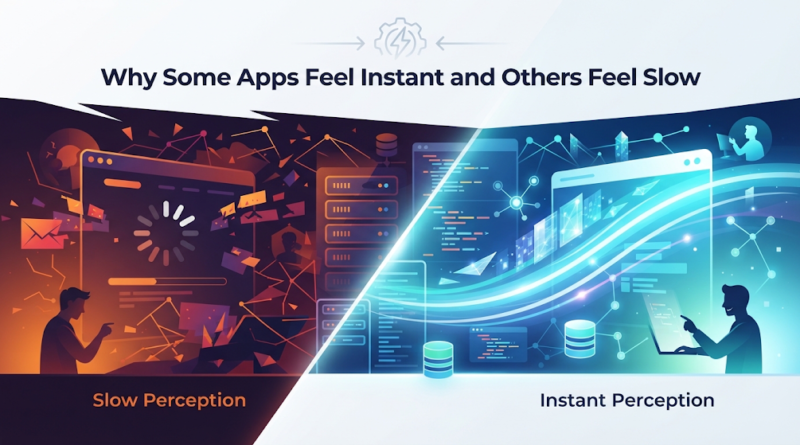
Perceived App Performance: Why Some Apps Feel Instant vs. Slow
Understanding perceived app performance begins the moment a user clicks “Save Changes” on a SaaS dashboard and the interface freezes for half a second. To a developer peering at server logs, that 500-millisecond response time is a triumph of optimization. To the product manager, it is an acceptable industry baseline. But to the user, it is a micro-friction that breaks their cognitive flow, destroys momentum, and makes the software feel sluggish.
This disconnect highlights a fundamental truth in modern product development: technical speed and human perception are rarely the same thing.
Evaluating app performance purely through server metrics and backend execution times is a blind spot for many engineering teams. Two applications can boast identical infrastructure and database response times, yet one feels lightning-fast while the other feels heavy and unresponsive. Understanding why this happens requires looking beyond the raw code to examine how architecture, network conditions, user experience (UX) design, and rendering pipelines interact to shape the overall experience.
The Real Reason an App Can Feel Slow Even When the Code Is Fine
Ask any engineering team why an application is sluggish, and they will likely look at database queries, server load, or unoptimized loops. While backend inefficiencies certainly exist, many applications feel slow despite having impeccably written code.
The core issue lies in the gap between actual technical performance and perceived app performance.
Technical performance is measured in milliseconds, CPU cycles, database queries per second, and network throughput. Perceived performance, however, is entirely psychological. It is measured in user trust, cognitive ease, and the feeling of direct manipulation. When users ask why do some apps feel slow even when their performance metrics look good? the answer usually points to a mismatch between what the system is doing and what the user’s brain expects to happen.
If an application executes a complex financial calculation in 300 milliseconds—blazing fast by server standards—but leaves the screen completely blank or unresponsive during that window, the user perceives a lag. Conversely, an application that takes a full second to complete an operation can feel instantaneous if it acknowledges the user’s click immediately, displays a skeleton screen, and updates incrementally.
Speed is not just an engineering metric; it is an illusion crafted at the intersection of design and architecture.
Perceived Speed: Why Users Notice Delay Before Engineers Do
Human perception of time changes dramatically based on visual feedback. In digital product design, human-computer interaction research has established clear thresholds for responsiveness:
-
0 to 100 milliseconds: Users feel like they are directly manipulating the interface. The response feels instantaneous.
-
100 to 300 milliseconds: Users notice a slight delay, though the system still feels continuous.
-
1000 milliseconds (1 second): The limit of uninterrupted user flow. Users lose their train of thought and notice the waiting state.
-
10 seconds: The limit for keeping the user’s attention focused on the task. Beyond this, users abandon the process entirely.
When engineers focus solely on backend optimization, they often miss the micro-delays that accumulate between 100 milliseconds and 1 second. Achieving a fast app user experience requires managing these micro-moments.
Modern applications maintain this illusion of speed through deliberate UX techniques. They use immediate visual feedback—such as button state changes or micro-animations—to signal that the system received an input. They deploy skeleton screens to give the eye a structural framework to look at while data loads, replacing jarring layout shifts with graceful transitions. When handled correctly, these design choices trick human psychology into perceiving a slower technical process as instantaneous.
7 Hidden Factors That Make an App Feel Fast or Frustrating
When diagnosing why apps feel slow, engineering leaders must look across the entire technology stack. Sluggishness is rarely caused by a single bottleneck; it is usually the compound effect of multiple hidden factors.
1. Network Latency and Unreliable Connections
Even the most optimized cloud infrastructure cannot overcome a poor connection. High latency, packet loss, and fluctuating mobile network conditions introduce severe friction. Applications that fail to anticipate dropped connections or slow mobile handshakes force users to stare at loading spinners, destroying mobile app performance optimization efforts.
2. API and Backend Response Times
A web or mobile application is only as fast as its slowest API endpoint. When a frontend client has to wait for multiple sequential API requests—instead of fetching data in parallel or via a single aggregated payload—the total time to interactive multiplies rapidly.
3. Database Queries and Server-Side Processing
Inefficient database operations, missing indexes, unoptimized ORMs (Object-Relational Mappings), and bloated server-side business logic can quietly inflate response times. A single unindexed query scanning millions of rows can bog down an entire SaaS platform under load.
4. Bloated Assets and Heavy JavaScript Bundles
Sending megabytes of unminified JavaScript to a browser or mobile device creates an invisible bottleneck. Before the application can even render, the client device must download, parse, and execute that code. Heavy high-resolution images and uncompressed video assets further exacerbate bandwidth consumption and rendering delays.
5. Poor Caching Strategies
Failing to cache static assets, API responses, or database query results means the application is constantly reinventing the wheel. Without robust caching layers at the edge, CDN, and application levels, servers handle redundant work that wastes precious milliseconds on every single user request.
6. Rendering and UI Bottlenecks
On the client side, complex component trees, excessive DOM manipulation, unoptimized CSS selectors, and main-thread blocking JavaScript can cause stuttering animations and delayed scroll responses. If a browser or mobile runtime is bogged down calculating layout geometry, user inputs stall.
7. Device Capabilities and Resource Constraints
Enterprise software is often developed on high-end developer workstations with 32GB of RAM and powerful multi-core processors. When deployed to a mid-range smartphone or an older office laptop, resource-heavy apps choke on CPU and memory limits, turning a smooth enterprise tool into a frustrating experience.
How UX, Networks, APIs, and Architecture Shape App Speed
Building an application that feels instantaneous requires a holistic view of the entire ecosystem. Frontend design, backend infrastructure, API contracts, network protocols, and database architecture must work in harmony.
Consider how application performance optimization works in practice. Suppose a user opens a project management dashboard. A naive architecture might make the frontend wait for the server to fetch user profiles, project lists, task details, and notification feeds in a single, massive, synchronous database query. The user sees a blank screen for three full seconds.
A modern, high-performance architecture decouples these concerns:
-
The Infrastructure Layer: Serves static assets from a global Content Delivery Network (CDN) adjacent to the user.
-
The API Layer: Implements GraphQL or optimized REST endpoints with parallel data fetching and robust edge caching.
-
The Data Layer: Uses intelligent indexing and read-replicas to ensure sub-millisecond query execution.
-
The UX Layer: Immediately renders the app shell and navigation structure using cached local state, populates skeleton placeholders for the primary dashboard, and streams in secondary data asynchronously as it arrives.
The server might still take 800 milliseconds to aggregate all the backend data, but because the user sees a fully interactive shell within 50 milliseconds and structured content within 200 milliseconds, the application feels instant. This answers why some apps load faster than others: they prioritize the human experience of time over rigid, synchronous data loading.
The Performance Framework Developers Can Use to Fix Slow Experiences
To systematically improve app loading speed and diagnose sluggish systems, technology leaders need a measurable framework. Relying on gut feelings or casual user complaints is not enough. Development teams must track specific metrics that bridge technical performance with business outcomes.
Core Performance Metrics to Monitor
-
Time to First Byte (TTFB): Measures how long the browser waits before receiving the first byte of data from the server. A high TTFB points to server-side processing delays or poor CDN configuration.
-
Largest Contentful Paint (LCP): Part of Google’s Core Web Vitals, LCP measures when the main content of a page has finished loading. In business terms, this is the exact moment the user feels the page is “ready.”
-
Interaction to Next Paint (INP): Measures how responsive an interface is when a user clicks, taps, or types. High INP values mean the main thread is blocked, resulting in janky, unresponsive UI interactions.
-
API Response Time: The duration of round-trip network requests to backend services. Tracking the 95th and 99th percentiles reveals hidden latency spikes affecting edge users.
-
Database Query Time: Identifies slow SQL or NoSQL queries that consume excessive database resources and bottleneck backend threads.
-
Cache Hit Rates: Measures how effectively static assets and API payloads are served from memory or CDNs rather than hitting origin servers.
-
Bundle Size: Tracks the physical weight of JavaScript, CSS, and asset payloads delivered to client devices.
-
Error Rates and Failed Requests: Uncovers fragile network connections, unhandled exceptions, and API failures that disrupt user workflows.
Actionable Diagnostic Checklist for Product Teams
-
Audit the Critical Path: Map every step a user takes to complete core workflows (e.g., login to dashboard, checkout, data export) and time each step from click to render.
-
Implement Real User Monitoring (RUM): Synthetic benchmarks run in lab conditions miss real-world network turbulence. Use RUM tools to track how actual users experience the app across different devices and geographies.
-
Establish Performance Budgets: Set strict limits on JavaScript bundle sizes, image resolutions, and API response thresholds in your CI/CD pipeline to prevent performance regression during new feature development.
-
Optimize Resource Delivery: Compress images into next-gen formats (like WebP or AVIF), implement code-splitting to load JavaScript only when needed, and leverage edge caching.
Elevating Your Application Performance Strategy
Application speed is not an afterthought to be bolted on before launch; it is a core architectural pillar that directly impacts user retention, conversion rates, and brand reputation. When software feels fast, users trust it, engage deeper, and accomplish their goals without friction.
Achieving this level of performance requires aligning your UX design, frontend architecture, API design, and cloud infrastructure into a cohesive, high-speed ecosystem. Whether you are scaling an existing SaaS platform, optimizing a mobile app for global users, or building a high-performance custom solution from the ground up, identifying bottlenecks early saves engineering hours and protects your bottom line.
If your product is suffering from sluggish response times, inconsistent mobile performance, or a disconnect between backend metrics and user satisfaction, a professional evaluation can help. Reach out to our engineering team to schedule an application performance audit and custom software consultation, and let’s turn your app’s speed into a competitive advantage.
